Python is a general purpose language. It doesn’t have to be better than a specialized language, it just has to have a good enough library - it is better at all the other parts, like dealing with files, CLI/GUI, etc.
DataFrames (well known from R) are like Excel spreadsheets in Python. (In fact, it can open Excel files). They are for structured data. If a NumPy axis has a meaning you want to assign a name to, it’s probably structured.
import pandas as pdWe could make a DataFrame by hand, but most of the time you’ll load them from various data sources. So let’s make a CSV:
%%writefile tmp.csv
id,                version, os,    arch
cp37-macos_arm64,  3.7,     macos, arm64
cp38-macos_arm64,  3.8,     macos, arm64
cp39-macos_arm64,  3.9,     macos, arm64
cp37-macos_x86_64, 3.7,     macos, x86_64
cp38-macos_x86_64, 3.8,     macos, x86_64
cp39-macos_x86_64, 3.9,     macos, x86_64
Writing tmp.csv
By default, pandas can read it, and even nicely format something for your screen:
pd.read_csv("tmp.csv")There are lots of powerful tools when reading and for later cleanup; let’s do a better job of importing.
df = pd.read_csv(
    "tmp.csv",
    index_col=0,
    skipinitialspace=True,
    dtype={"os": "category", "arch": "category"},
)
dfdf.info()<class 'pandas.DataFrame'>
Index: 6 entries, cp37-macos_arm64 to cp39-macos_x86_64
Data columns (total 3 columns):
# Column Non-Null Count Dtype
--- ------ -------------- -----
0 version 6 non-null float64
1 os 6 non-null category
2 arch 6 non-null category
dtypes: category(2), float64(1)
memory usage: 132.0+ bytes
We can query columns (or anything else):
df["os"]id
cp37-macos_arm64 macos
cp38-macos_arm64 macos
cp39-macos_arm64 macos
cp37-macos_x86_64 macos
cp38-macos_x86_64 macos
cp39-macos_x86_64 macos
Name: os, dtype: category
Categories (1, str): ['macos']For simple names, columns can be even easier to access:
df.archid
cp37-macos_arm64 arm64
cp38-macos_arm64 arm64
cp39-macos_arm64 arm64
cp37-macos_x86_64 x86_64
cp38-macos_x86_64 x86_64
cp39-macos_x86_64 x86_64
Name: arch, dtype: category
Categories (2, str): ['arm64', 'x86_64']You have quick, easy access to lots of analysis tools:
df.version.plot.bar();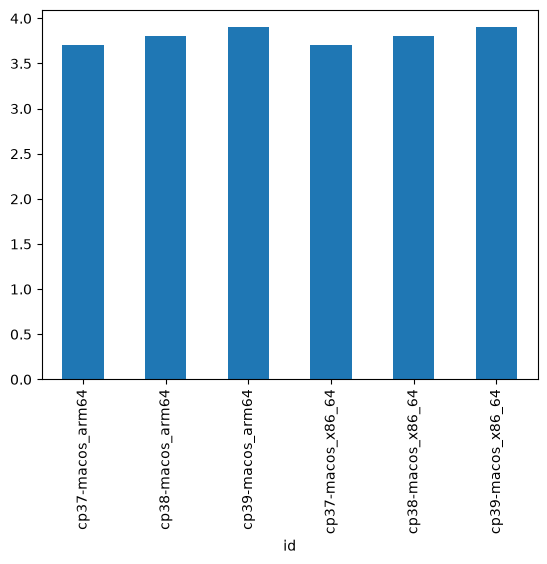
You can select using a variety of methods, including NumPy style boolean arrays:
df[df.arch == "arm64"]The powerful groupby lets you collect and analyze with ease. For example, to compute the mean for each possible arch:
df.groupby("arch").version.mean()arch
arm64 3.8
x86_64 3.8
Name: version, dtype: float64Pandas pioneered a lot of DSL (Domain Specific Language) for Python, taking over the Python language to keep things simple and consistent within DataFrames. For example, it provides accessors, like the .str accessor, that apply normal methods to a series instead:
df.arch.str.upper()id
cp37-macos_arm64 ARM64
cp38-macos_arm64 ARM64
cp39-macos_arm64 ARM64
cp37-macos_x86_64 X86_64
cp38-macos_x86_64 X86_64
cp39-macos_x86_64 X86_64
Name: arch, dtype: objectThis is just scratching the surface. Besides manipulating these dataframes and series, Pandas also offers:
Fantastic date manipulation, including holidays, work weeks, and more
Great periodic tools, rolling calculations, and more
Great Pandas, like vectorized NumPy, can be a little hard to write, taking a few iterations, but once you have it written, it is easy to read and very expressive.
More reading
See this notebook that analyzes COVID data that runs daily on my website: https://